
Introduction
As a student, a Professional Portfolio is more than a companion to your resume – it is you. Your work is self-evident, especially in a time of impersonal recruiting, when recruiters wade through dozens of applications in mere minutes. A high-quality portfolio gives you an advantage. This tutorial will teach you to plan, make and share your student portfolio (as a digital or hard copy) applying evidence-based approaches that will give both recruiters and search engines (for example, “digital portfolio”, “student portfolio tips”, “show casing your projects”) something to respond to. The goal is to build a portfolio that is impressive and authentic – which opens doors. So this article will show you How to Build a Professional Portfolio as a Student in 7 Powerful Steps
Table of Contents
- Why does Every Student need a Portfolio
- Step 1: Define your purpose & audience
- Step 2: Choosing your Format (digital/physical/hybrid)
- Step 3: Collecting and Choosing Your Projects
- Step 4: Portfolio organization and structure
- Step 5: Add Context: Storytelling & Reflection
- Step 6: Design & Usability Best Practices
- Step 7: Maintenance, Updates, and Promotion
- Focus Keyword Section: Build a Professional Portfolio as a Student
- FAQ:
- People Also Ask
- CTA: Get An Expert Review and Growth Help
- Conclusion
1. The Importance of a Portfolio for Each Student
A portfolio is a bank of evidence – something that shows work, growth, process – not just a claim. Recruiters want evidence, not promises. Specifically, digital portfolios:
- Allow you quick access to your work (no attachments)
- Show your best work with pictures, links, code, media
- Help narrate your journey: early attempts, iterations, reflections
Key Takeaways:
- A portfolio allows you to stand out among competitive applicants.
- A portfolio shows not just skills, but growth, effort, and narrative.
2. Step 1: Know Your Purpose & Audience
Before you build anything, ask yourself: Who will look at this? (employers, internship selection committee, scholarship committee). And what do you want them to see? (web design, writing, software, research).
If you’re working on a software internship, for example, your audience wants to see things like code, apps, UI/UX designs etc. If you’re focused on an academic audience, they want to see things like papers, research, presentations.
By identifying your purpose & audience:
- You will be able to select relevant projects
- You will be able to design your portfolio in a way that meets their expectations
- You can avoid filling your portfolio with tangential or irrelevant work
Key Takeaways:
- Knowing your audience is paramount (hiring manager, professor, client).
- Your purpose guides your later decisions of which projects to highlight or include.
3. Step 2: Identify your Format (Digital/Physical/Hybrid)
You have choices:
- Digital Portfolio (a website, on a portfolio site, or a PDF with live hyperlinks and/or interactive elements that you send electronically)
- Physical Portfolio (to use for an in person exhibit.)
- Hybrid: physical + digital (like QR codes for access to your online work)
Digital is typically the best option! Dispensing workflow is easier, updates are easier, and it often entails a minimal to negligible price.
Benefits of a digital portfolio:
- Access from anywhere
- Responsive design for mobile/desktop
- Media can be embedded (video, interactive demonstrations)
- Analytics (to see how many visitors from different locations)
Important Notes:
- In general, choose digital format unless a physical format is dictated by a field of application or restraint.
- When finalizing your projects, consider factors that emphasize or showcase your strengths (media, interactivity).
4. Step 3: Collect & Select Projects
By now you are beginning the process of constructing your portfolio. You should begin to collect the artifacts of your repertoire:
- Artifacts from class assignments and capstone projects
- Artifacts from independent research and side work
- Writing samples, designs and new prototypes
- Presentations, conference posters and reports
- Code and/or documentation from projects, apps or demonstrations
Then only select the highest quality items. It is better to emphasize quality over quantity. Select according to the following criteria:
- Complete-ness
- Visual Appealingness
- Difficulty & Learning
- Relevance to Goals & You
Do not show low effort “half-done” works unless they are to show improvements (be sure to label them half-finished!)
Keypoints:
- Collect a lot of things, but then bring it down to 5-10 AMAZING pieces.
- Use items at a level of criteria that attaches to audience & goals.
5. Step Four: Organized & Structuring Portfolio
Structure Matters:
It matters how you present the work. Find a logical structure that allows viewers to easily navigate work and artifacts.
Common Structures:
- Chronological: work on projects in time order.
- Categorical / Thematic: Thematic lessons in your portfolio (web dev, writing, etc.)
- By Medium / Skills: Code, Visuals, Research, etc.
Suggested Sections:
- Home / Welcome / Overview
- About Me / Bio / Resume
- Portfolio / Projects
- Skills / Tools / Technologies
- Testimonials / Feedback
- Contact Info
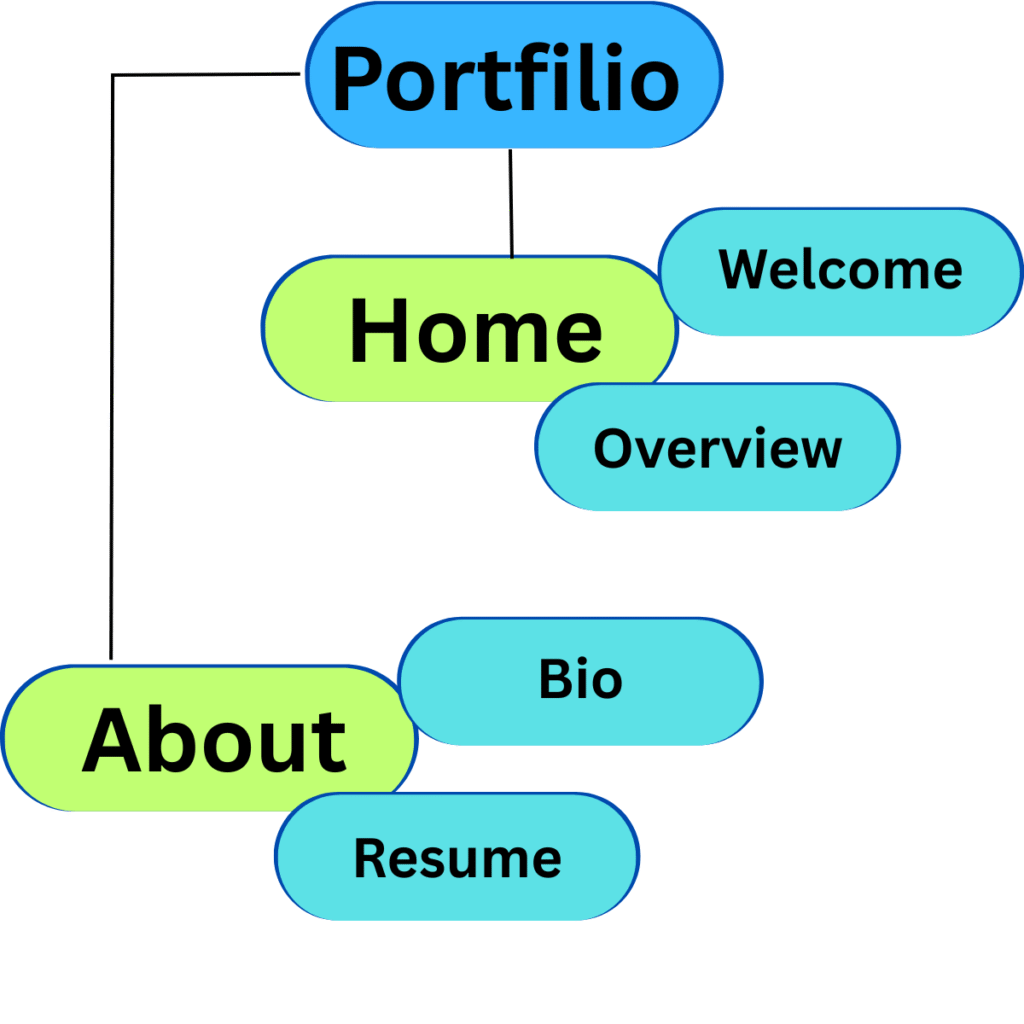
Example (from career center guideline) :
Gather artifacts and structure based on career objectives, then simply reflect on the portfolio pages. careers.umbc.edu
UC Berkeley extension said adding ‘summaries for major projects’ was an option. extension.berkeley.edu
KeyPoints:
- Choose one structure (chronological or thematic) and stick to it.
- Be sure to have easy to identify “Projects” and “About Me / Resume” sections.
6. Step 5: Add Context: Storytelling & Reflection
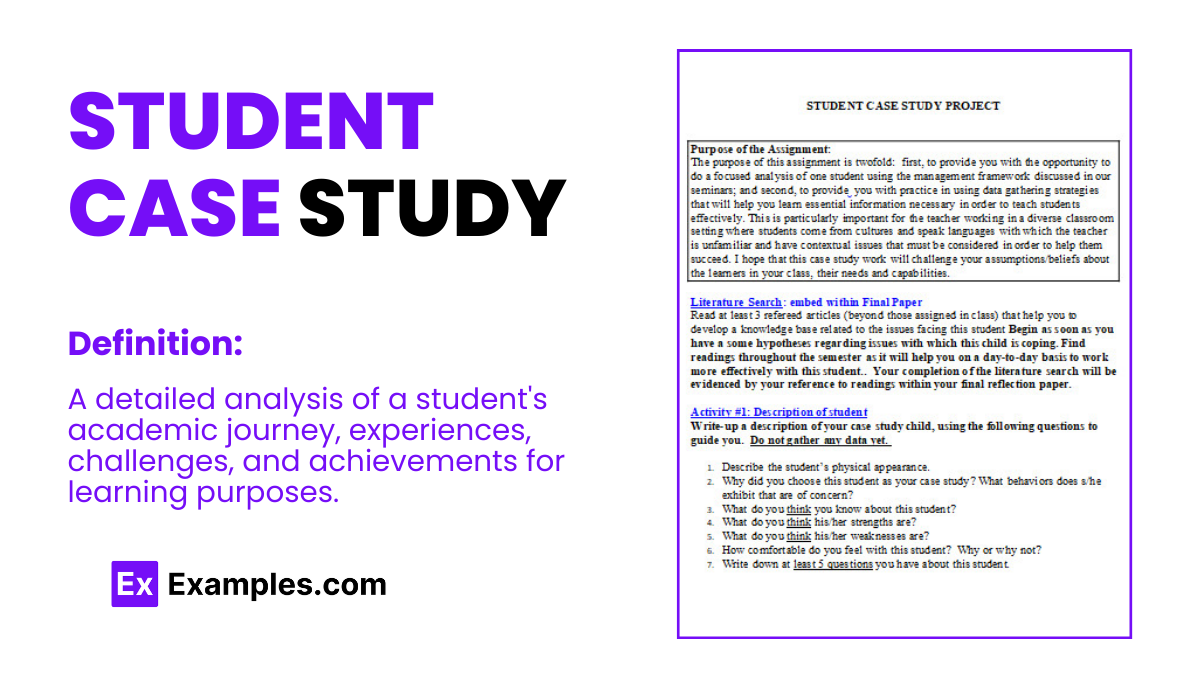
Projects are always stronger with a backstory:
- What was the challenge or goal?
- What was your process? (sketches, drafts, iterations)
- What tools, methods, obstacles?
- Results or learnings?
- What would you do differently if you retried the project next time?
Reflection shows maturity and thought presence; something recruiters always value.
Key Points:
- Don’t just show work; explain the why/how.
- Each project can use some short narratives or bullets.
7. Step 6: Design & Usability Best Practices
Your portfolio should not only look polished, but also be easy to navigate. Here are important UI/UX tips:
- Responsive design (for mobile + desktop)
- Consistent and clean typography, whitespace, and visual hierarchy
- Fast load: optimize and resize images, lazy load throughout your website
- A simple navigation menu
- Readable fonts with contrast, readable colors
- Visuals, icons, thumbnails
- Internal links between project pages
- If applicable, schema markup (JSON-LD for “Person”, “CreativeWork”)
8. Step 7: Maintain, Update & Promote
Your portfolio is a living document.
- Keep your portfolio up to date with new work when possible
.
- Remove old work or weak projects that you feel are outdated.
- Keep an eye on your analytics and see which pages visitors are attracted to.
- Promote your portfolio on LinkedIn, GitHub, forums, and your resume.
- Ask a mentor or peer for feedback.
Key points:
- Review and refresh every 3-6 months.
- Use your analytics data and any feedback to create improvements.
9. Focus Keyword Section: Create a Professional Portfolio as a Student
Your focus keyword is Create a Professional Portfolio as a Student. This is an important section to reiterate your value proposition:
When you create a professional portfolio as a student, you are engaging in the investment of a professional image for yourself professionally, you are translating and curating your course work, side projects, and creative pursuits into a professional portfolio. That phrasing conveys what you are doing (creating a portfolio) and arguably, who you are (as a student). Use it across your headings, meta tags, and as part of this section.
As you work through the seven steps above, draw your reiteration of the focus keyword to your surface mind; professionally, coherently, or even kaleidoscopically projecting and projecting your student identity in a portfolio.
10. Frequently Asked Questions
Q1: What is the difference between a portfolio and a resume?
A portfolio is a curated, purposeful collection of authentic work examples, visual media, and stories about the process. A resume is a concise presentation of work experience, education, and skills. Often, a portfolio serves as documentation of claims made on a resume.
Q2: How many projects should I include in my student portfolio?
Aim for a total of 5 to 10 strong projects. Select work that best evidences your skills, growth, and relevance to the roles you plan to pursue.
Q3: Can I include academic work in my portfolio?
Yes! Quality work that is relevant should be included. Many students do not have professional work to show, so high-caliber work from classes, including studio projects, research papers, or documentation from capstone classes, can be a good sign of your ability.
Q4: Can I use a free website to host my portfolio?
Yes. WordPress, GitHub Pages, Behance, and Wix, as well as a PDF with hyperlinks, all present possible options; however, focus on the quality of the result first. It doesn’t matter where the content is hosted as long as the content is presented effectively and the audience can successfully navigate the content.
Q5: How often should I update my portfolio?
Ideally, every three to six months. Eliminate older, weaker portfolios, and build a new narrative. When you add a new project, refine the story and design the portfolio with user experience in mind. Make updates based on feedback or analytics.
People Also Ask
How do I begin building a portfolio as a student?
First, gather all of your prior work either in digital or physical format; work includes assignments, design pieces, code you’ve written, etc. After you collect all of the work, then you select the best of the work, and choose the strongest pieces to put into your portfolio. It’s also a good idea to narrow the work down based on your purpose (an internship, job, or scholarship), and then arrange your work accordingly.
What should be first in my portfolio?
You should include the best and most relevant project first! The first piece will set the tone for how your portfolio may read, and an impactful first project will show what you produce at the highest level. It will pique the reader’s interest and promote scrolling and continued engagement.
Should I include personal side projects?
Yes, if you feel it reflects your ability, enthusiasm, and intellectual initiative. Side projects also can indicate your motivation, imagination, and independence.
What should I do to demonstrate evidence of improvement in my portfolio?
Include older work as “early version”, and include improved or final version. I would recommend including notes to explain the changes and improvements and why, as the narrative of change and growth is powerful to the reader.
Should I be concerned about gaps in my work, or have a portfolio with fewer projects or work?
No, regardless of gaps, a smaller and strong portfolio is better, and you want the quality and clarity to demonstrate your best work.
12 CTA: Receive Expert Review & Help with Growth.
If you are looking to make your portfolio stand out to industry experts and utilize their feedback, reach out! I would be happy to provide a professional review, ideas for improvement, or portfolio coaching! I would love to help you achieve that “hire-me-ready” portfolio level, and we can always learn personally.
Conclusion.
Creating a portfolio does not need to be overwhelming! By following the 7 steps of defining your purpose, being intentional about the projects chosen, and sequencing your portfolio logically, reflecting, applying good design practices, and keeping it up-to-date, you can create a professional portfolio in your student career that best represents you. Then use your portfolio as your voice to reflect on applications, in interviewing and for professional growth in your career! Start today, iterate over time, and allow your portfolio to tell your story.